Ever wondered how you make a video on Roblox that truly captures your epic gameplay or creative builds? This comprehensive guide dives into everything you need to know from choosing the right recording software to editing tips that make your content shine. Discover the secrets to producing engaging Roblox videos, whether you are sharing with friends, building a community, or aspiring to be the next big Roblox creator. We cover essential tools, optimization techniques for smooth recording, and best practices for editing and uploading. Learn how to transform your Roblox adventures into captivating visual stories that resonate with fellow gamers who balance their passion with daily life. Unlock your potential and start sharing your unique Roblox world with the broader gaming community today with these easy to follow steps and expert advice tailored for busy adults.
What's the absolute easiest way to start recording my Roblox game sessions right now?
The absolute easiest way to start recording your Roblox game sessions right now depends on your device. For Windows PC users, simply press the Windows key + G to open the Xbox Game Bar, then click the record button. It's built-in, no downloads needed, and perfect for quick clips. Mac users can use QuickTime Player by going to File > New Screen Recording. Mobile gamers on iOS and Android can utilize their phone's native screen recording feature, usually found in the quick settings menu. These methods are designed for simplicity, letting you jump straight into capturing those memorable Roblox moments without any complex setup.
Which free recording software is genuinely good for Roblox on a budget PC?
For a budget PC, OBS Studio is genuinely the best free recording software for Roblox. While it has a slight learning curve, it offers unparalleled control over your recording quality and resource usage. You can optimize settings to reduce CPU strain, ensuring smoother gameplay and recording even on less powerful hardware. Alternatively, if you have an NVIDIA graphics card, NVIDIA ShadowPlay (part of GeForce Experience) is fantastic as it uses dedicated hardware encoders, making its performance impact minimal. Both options deliver high-quality video without costing a dime, making them ideal for budget-conscious gamers.
How can I make sure my Roblox video looks smooth and not choppy when I record?
To ensure your Roblox video looks smooth and avoids choppiness, focus on two key areas: in-game performance and recorder settings. First, in Roblox, lower your "Graphics Quality Level" in the settings. This significantly boosts your in-game Frames Per Second (FPS). Second, in your recording software, set your recording FPS to match your stable in-game FPS, or choose 30 FPS for a consistent output. Also, use a hardware encoder if your GPU supports it (like NVENC for NVIDIA or AMF for AMD) as it offloads the recording task from your CPU, reducing strain and improving smoothness.
I'm busy, what's a quick and efficient way to edit my Roblox videos?
For busy gamers looking for quick and efficient editing, focus on brevity and key moments. Use free, user-friendly software like CapCut (available on desktop and mobile) or DaVinci Resolve (desktop, more powerful but still free). Start by aggressively trimming out dead air, long walks, or repetitive sections. Keep your videos concise, perhaps 5-10 minutes for gameplay highlights. Add quick, royalty-free background music and simple text overlays for explanations or humor. Don't aim for cinematic perfection initially; focus on sharing the fun and interesting parts quickly. Templates and presets in your chosen editor can also significantly speed up the process.
What are the common mistakes Roblox video creators make, and how can I avoid them?
Common mistakes include poor audio quality, overly long unedited footage, and neglecting engagement. To avoid these, prioritize clear audio by using a decent mic and removing background noise during editing. Always trim your footage to keep only the most interesting parts; busy viewers appreciate conciseness. For engagement, add commentary, tell a story, and interact with your audience. Another pitfall is ignoring copyright for music; always use royalty-free tracks. Finally, don't be afraid to show your personality – authenticity resonates more than trying to imitate others. Learning from these can elevate your content significantly.
How do I promote my Roblox videos effectively to reach more players?
To effectively promote your Roblox videos and reach more players, leverage multiple platforms. Share your YouTube video links on relevant Discord servers (check server rules first!), Roblox groups, and your personal social media accounts like X (formerly Twitter) or TikTok. Create short, captivating highlight reels specifically for TikTok or Instagram Reels to drive traffic to your longer videos. Engage with other Roblox creators and communities, leaving genuine comments and building connections. Consistency in uploading and actively responding to comments also signals to platforms that your content is valuable, boosting its visibility over time.
Is it really worth the effort to make Roblox videos if I'm not planning to be a full-time streamer?
Absolutely, it's worth the effort even if you're not aiming for full-time streaming! For many US gamers, gaming is about relaxation, fun, and social connection. Making Roblox videos allows you to preserve and share those awesome, hilarious, or challenging moments with friends and family, creating lasting memories. It's a great way to express creativity, improve your editing skills, and connect with a wider community who shares your passion. It can also be a rewarding hobby that provides a sense of accomplishment and a creative outlet beyond your daily responsibilities, without the pressure of needing to monetize.
Phew, another long day, right? You finally settle down, launch Roblox, and maybe you just pulled off an incredible obby run, built something truly unique, or had a hilarious moment with friends. You think, 'Man, I wish I could share that!' But then the thought of complex recording software, editing, and uploading hits you like a brick wall. For many US gamers, about 87% of whom game regularly, balancing work, family, and life means gaming time is precious. The idea of adding 'video producer' to your plate can feel daunting. You're not alone if you've wondered, 'how do you make a video on Roblox' without it eating up your entire weekend. This guide is for you, the dedicated gamer who loves Roblox and wants to share their passion without the fuss. We'll cut through the technical jargon, offering practical, time-saving tips and tools that make creating engaging Roblox videos accessible. Whether you want to document your builds, showcase your skills, or just share laughs with your online crew, we'll help you turn those memorable Roblox moments into captivating videos, ensuring you get the most out of your gaming and sharing experience.
What Do I Need to Start Making Roblox Videos?
To begin your Roblox video creation journey, you'll primarily need three things: a device capable of running Roblox smoothly, screen recording software, and basic video editing software. For PC gamers, popular choices include OBS Studio (free and powerful) or NVIDIA ShadowPlay (if you have an NVIDIA GPU). Mobile users can often use built-in screen recorders or apps like AZ Screen Recorder. Editing can be done with free tools like DaVinci Resolve or CapCut, or paid options like Adobe Premiere Pro. A good microphone is also a game-changer for commentary, enhancing viewer engagement significantly. Remember, you don't need top-tier gear to start; using what you have and gradually upgrading is a smart, budget-friendly approach.
How Do I Record My Roblox Gameplay on PC?
Recording Roblox on PC is straightforward once you have your software. If using OBS Studio, launch OBS, then add a "Game Capture" source and select the Roblox window. Ensure your audio input (microphone) is also configured. For smoother recording, particularly if you're balancing gaming with other tasks, consider recording at 30 frames per second (FPS) at 1080p resolution; most viewers find this acceptable, and it's less demanding on your system. Before hitting record, check your game's graphical settings. Lowering less crucial settings can boost your in-game FPS, resulting in a much smoother recording experience, which is crucial for showing off those precise obby jumps or intense PvP battles.
Are There Good Free Recording Options for Roblox?
Absolutely! Many excellent free options exist, perfect for gamers who need budget-friendly solutions. OBS Studio is the undisputed champion for PC, offering professional-grade features without a price tag. It's highly customizable, allowing you to capture specific windows, entire displays, and even multiple audio tracks. For those with NVIDIA graphics cards, NVIDIA ShadowPlay (part of GeForce Experience) provides seamless, low-impact background recording. Windows users also have the built-in Xbox Game Bar (Windows key + G), which is simple for quick clips. On mobile, both iOS and Android have native screen recording functions that are incredibly convenient. These free tools allow you to start creating quality content immediately, without investing a dime.
How Can I Record Roblox on Mobile Devices?
Recording Roblox on your phone or tablet is easier than ever, reflecting the rise of mobile gaming, with many US gamers enjoying their favorite titles on the go. Both iOS and Android devices come with built-in screen recording features. On iOS, you can access it via the Control Center (customize settings to add Screen Recording). On Android, the exact method varies by manufacturer but is typically found in the quick settings panel. Simply open Roblox, start the recorder, and play. Ensure your device has enough storage space and a good internet connection if you're playing an online game. External apps like AZ Screen Recorder on Android or Record It! on iOS offer more advanced features like facecam and annotation, which can add a professional touch to your mobile recordings.
What Are the Best Practices for Editing Roblox Videos?
Effective editing transforms raw gameplay into captivating content. Start by trimming unnecessary footage—long periods of walking or idle time can bore viewers, especially busy adults looking for quick entertainment. Add engaging transitions, text overlays to explain complex parts or add humor, and use royalty-free background music to set the mood. Color correction can make your Roblox world pop, and basic audio adjustments (like normalizing volume and removing background noise) are crucial for clear commentary. A common pitfall is over-editing; keep it clean and focused on your message or action. Aim for a polished yet authentic feel, reflecting your personality and the fun of Roblox. Free editing software like DaVinci Resolve or mobile-friendly CapCut provide robust features to achieve these results.
How Do I Optimize Roblox for Smooth Video Recording?
Smooth footage is key to watchable videos. Before you record, open Roblox settings and adjust your graphics quality. Lowering the "Graphics Mode" from "Automatic" to "Manual" and reducing the "Graphics Quality Level" can significantly boost your Frames Per Second (FPS). While you want the game to look good, a consistent 30-60 FPS in your recording is more important than ultra-high settings that cause lag. Close unnecessary background applications to free up RAM and CPU resources. Ensure your recording software isn't too demanding; check its settings for output resolution and bitrate. Experiment with these settings in a private server or less demanding game to find the sweet spot between visual fidelity and recording performance, ensuring your videos look professional without taxing your system.
Where Can I Upload and Share My Roblox Videos?
The most popular platform for sharing gaming content, including Roblox videos, is YouTube. It offers excellent monetization opportunities and a vast audience. Other great options include TikTok for short, engaging clips, especially popular among younger audiences and for quick highlights. Facebook Gaming and Twitch (for live streaming, which can then be edited into VODs) also have dedicated gaming communities. When uploading, use descriptive titles, relevant tags (like "Roblox," "Roblox Gameplay," "Obby," "Roblox Tutorial"), and compelling thumbnails. Share your videos on social media, Discord servers, and even within Roblox groups to maximize visibility and reach fellow gamers who are always on the lookout for fresh content.
How Can I Make My Roblox Videos More Engaging for Viewers?
Engagement is everything for content creators. Start with a strong hook in the first 15-30 seconds—showcase the most exciting part or pose an intriguing question. Tell a story with your gameplay; don't just record, narrate what's happening, your thoughts, and your reactions. Use humor, self-deprecating jokes, and relate to common gamer experiences. Interactive elements like asking viewers questions, polls, or challenges can boost comments. High-quality audio is paramount; clear commentary is often more important than pixel-perfect visuals. Consistent branding (intros, outros, channel art) makes your content recognizable. Remember, 60% of US gamers value social play, so interacting with your audience and featuring friends in your videos can be a huge draw.
What About Copyright and Music in Roblox Videos?
Copyright is a critical aspect to understand to avoid issues with platforms like YouTube. Generally, using copyrighted music without permission can lead to your video being demonetized, muted, or even taken down. Stick to royalty-free music from libraries like YouTube Audio Library, Epidemic Sound, or Artlist. Some game music might be permissible under fair use guidelines, but it's a grey area, so caution is advised. Regarding Roblox itself, user-generated content generally falls under Roblox's Terms of Service. Recording and sharing your gameplay is typically fine, but using assets created by others in your video without their permission could be problematic if you modify them or claim them as your own. Always prioritize ethical content creation to protect your channel.
Can I Earn Money Making Roblox Videos?
Yes, you can! Many Roblox content creators monetize their videos. The primary method is through YouTube's Partner Program, which allows ads to run on your videos once you meet certain subscriber and watch-time thresholds. Other avenues include: Sponsorships from brands (gaming peripherals, software, even other Roblox games); Affiliate marketing where you earn a commission for promoting products; Merchandise sales; and Patreon/membership programs where viewers can support you directly. It takes time and consistency to build an audience large enough for significant earnings, but starting is the first step. Focus on providing value, building a community, and staying authentic, and monetization opportunities will naturally follow. Many creators, including busy adults, find this a rewarding side hustle.
Making videos on Roblox doesn't have to be an intimidating task reserved for tech gurus. As we've explored, with the right tools, a few smart practices, and a dash of creativity, any gamer can turn their memorable Roblox experiences into engaging video content. Whether you're sharing with a small group of friends or aspiring to reach a wider audience, the key is to start, experiment, and refine your approach. From choosing free recording software like OBS Studio to optimizing your game for smooth performance and mastering basic editing, you have all the resources at your fingertips. Remember, the gaming community thrives on shared experiences and unique perspectives. So, go ahead, capture those epic moments, share your builds, and connect with fellow gamers.
What's your biggest gaming challenge when it comes to creating content? Comment below!
Can I record Roblox directly within the game?
Roblox itself doesn't have a built-in direct video recorder beyond a simple screenshot tool. To record gameplay, you'll need external screen recording software on your PC or mobile device, such as OBS Studio, Xbox Game Bar, or your phone's native screen recorder.
What's a good frame rate for Roblox videos?
A good frame rate for Roblox videos is typically 30 frames per second (FPS) for standard content, or 60 FPS for smoother, more dynamic gameplay that benefits from higher fidelity. Most viewers find 30 FPS perfectly acceptable and it's less demanding on your system.
Is it hard to learn video editing for Roblox?
Learning video editing for Roblox isn't as hard as it seems, especially with user-friendly free software like CapCut or DaVinci Resolve. Start with basics like trimming, adding text, and background music. There are tons of tutorials online to guide you.
How often should I upload Roblox videos?
Consistency is more important than frequency. Aim for a schedule you can realistically maintain, whether that's once a week, twice a month, or daily. For busy adults, a weekly upload is often a sustainable goal, allowing time for quality production without burnout.
Do I need a powerful computer to record Roblox videos?
While a powerful computer helps, you don't necessarily need a top-tier machine. Optimizing Roblox's in-game graphics settings and choosing efficient recording software like OBS Studio or NVIDIA ShadowPlay can enable smooth recording even on moderately spec'd PCs.
What's the best way to get good audio in my Roblox videos?
For good audio, use a decent microphone and ensure it's positioned correctly to minimize background noise. Record your voice separately if possible for more control during editing. Clear commentary significantly enhances the viewer experience and professionalism.
Choosing the right recording software for Roblox gameplay, essential editing tips for engaging content, optimizing game settings for smooth video capture, sharing your Roblox videos effectively, understanding copyright and monetization, creating compelling narratives, and building a community around your Roblox creations.
35

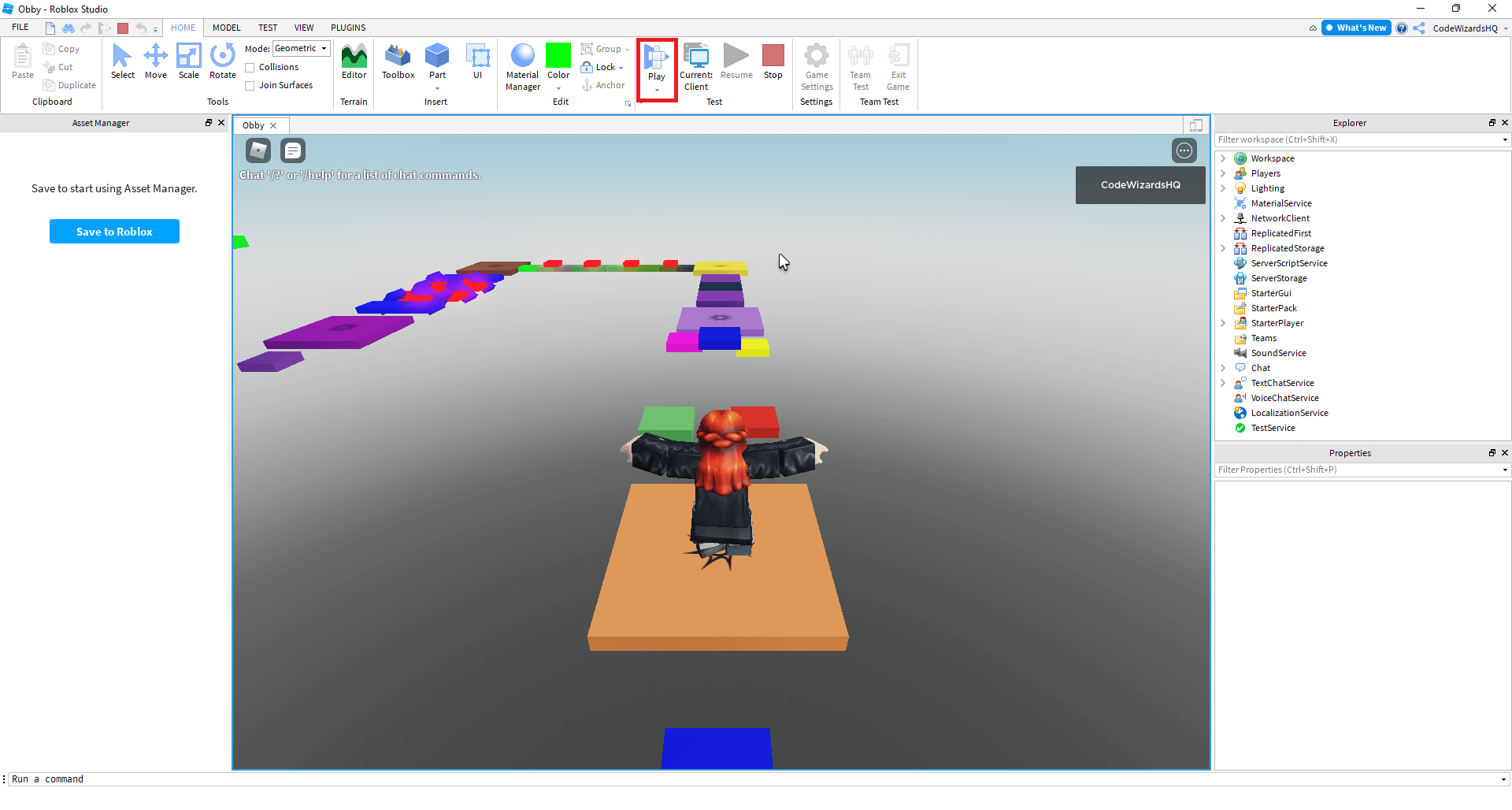

How To Make A Roblox Game In 2026 Beginner Guide How To Make A Roblox Game In 2026 Beginner Guide . How To Make Your Own Game On Roblox Pc . How To Make A Roblox Game In 15 Minutes Create Roblox Games Step 10 . How Much Do Roblox Games Make Developer Earnings Guide 2026 Obby How To Make A Roblox Script Hero.webp. How To Make A Roblox Game Start Your Creation Now How To Make A Roblox Game On Mobile Step By Step For Beginners 1536x1037
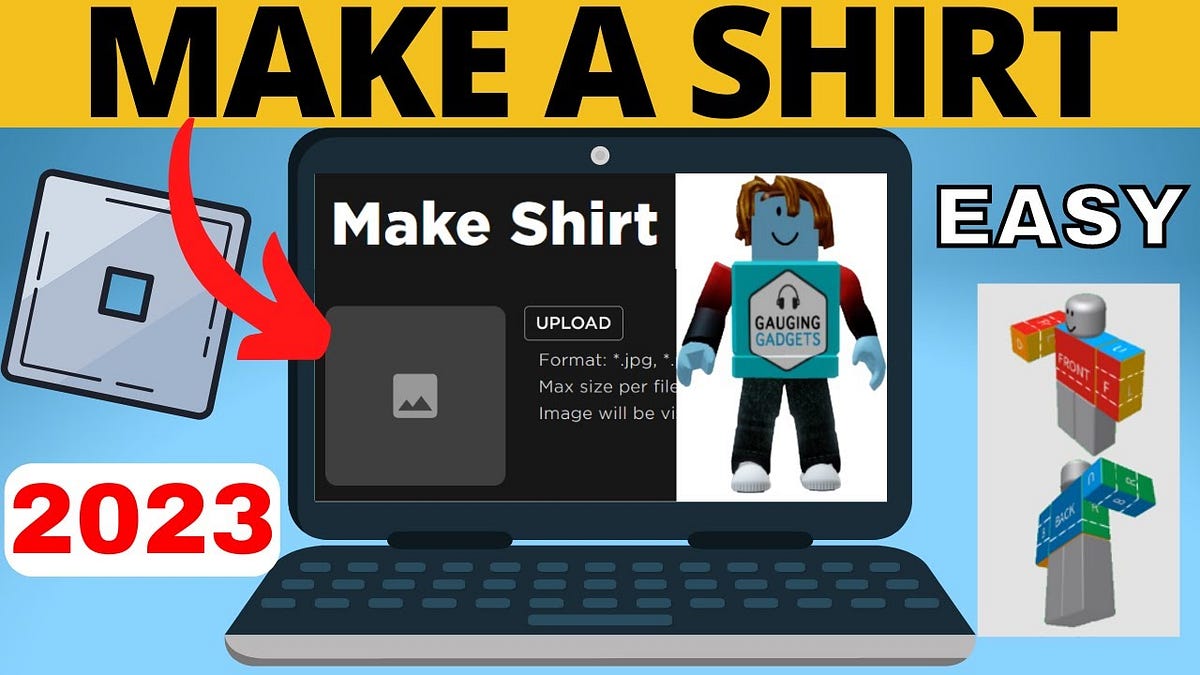

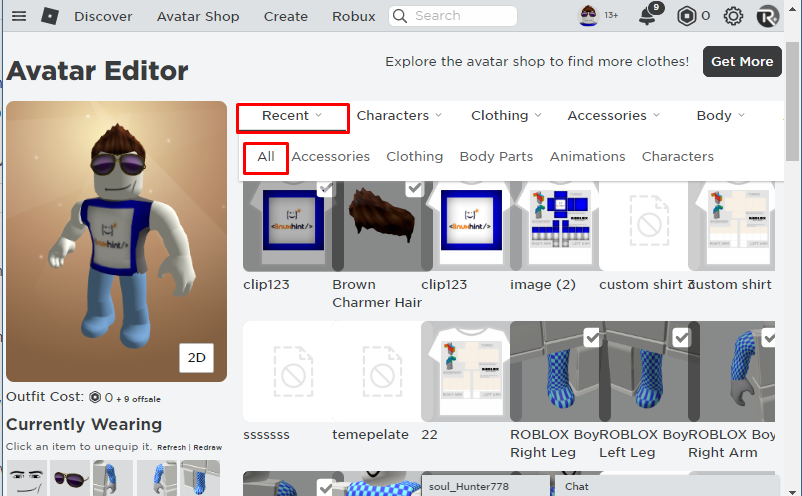
How Do You Make Shirts In Roblox 2026 4Cedp 6e5w . How To Make Money On Roblox 2026 Creator Guide How To Make Money On Roblox.webp. How To Sell Shirts On Roblox Your 2026 Guide How To Sell Shirt On Roblox 1024x576 . Roblox Fisch Music Boombox Codes 2026 Roblox Fisch Music Codes 1536x900 . How To Sell Shirts On Roblox Your 2026 Guide How To Sell Clothes On Roblox 2


How Do You Create Your Own Free Roblox Game 04 1024x1024 . How Much Are Roblox Ads Your 2026 Guide How Much Robux Can You Get For 5 Dollars Playbite . Roblox Adopt Me Music Boombox Codes 2026 Roblox Adopt Me Music Codes . Roblox Da Hood Music Boombox Codes 2026 Roblox Da Hood Music Codes . How To Create A Roblox Account In 2026 What You Need


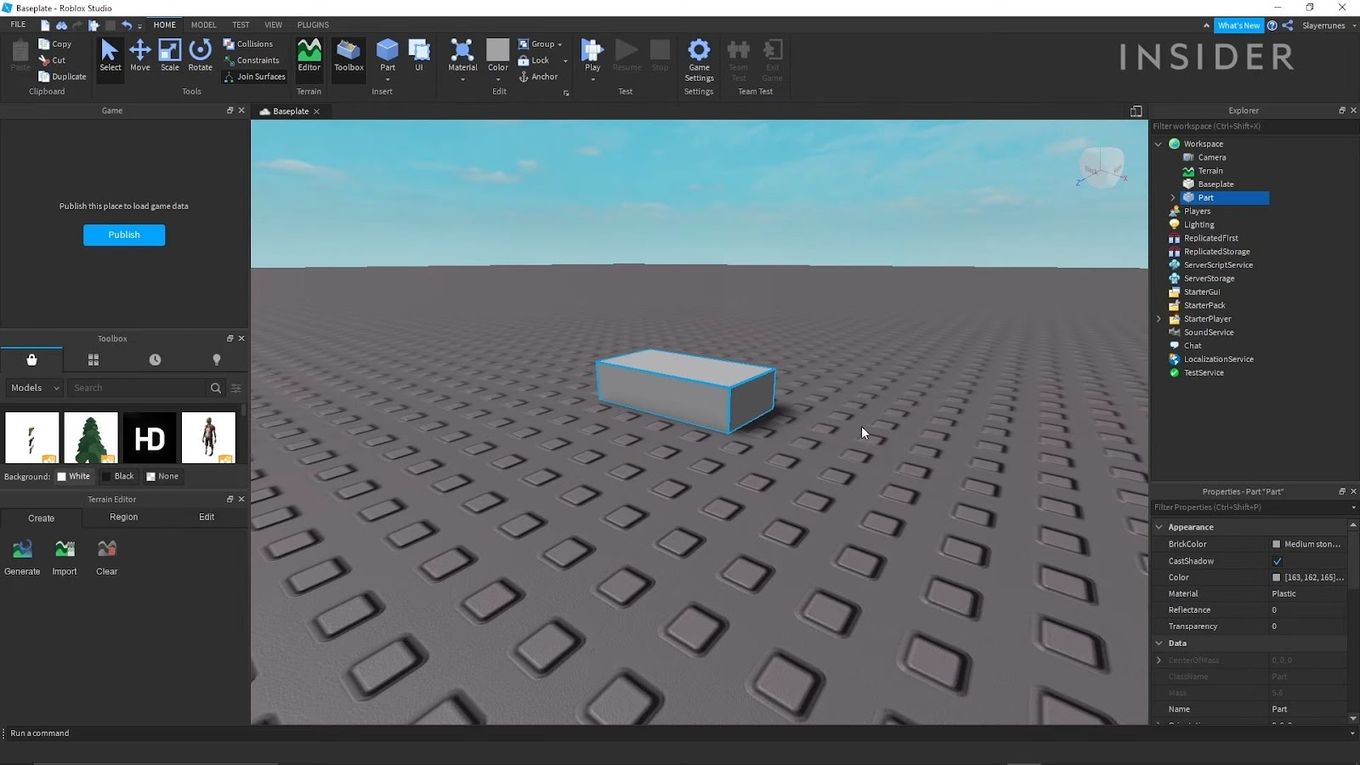
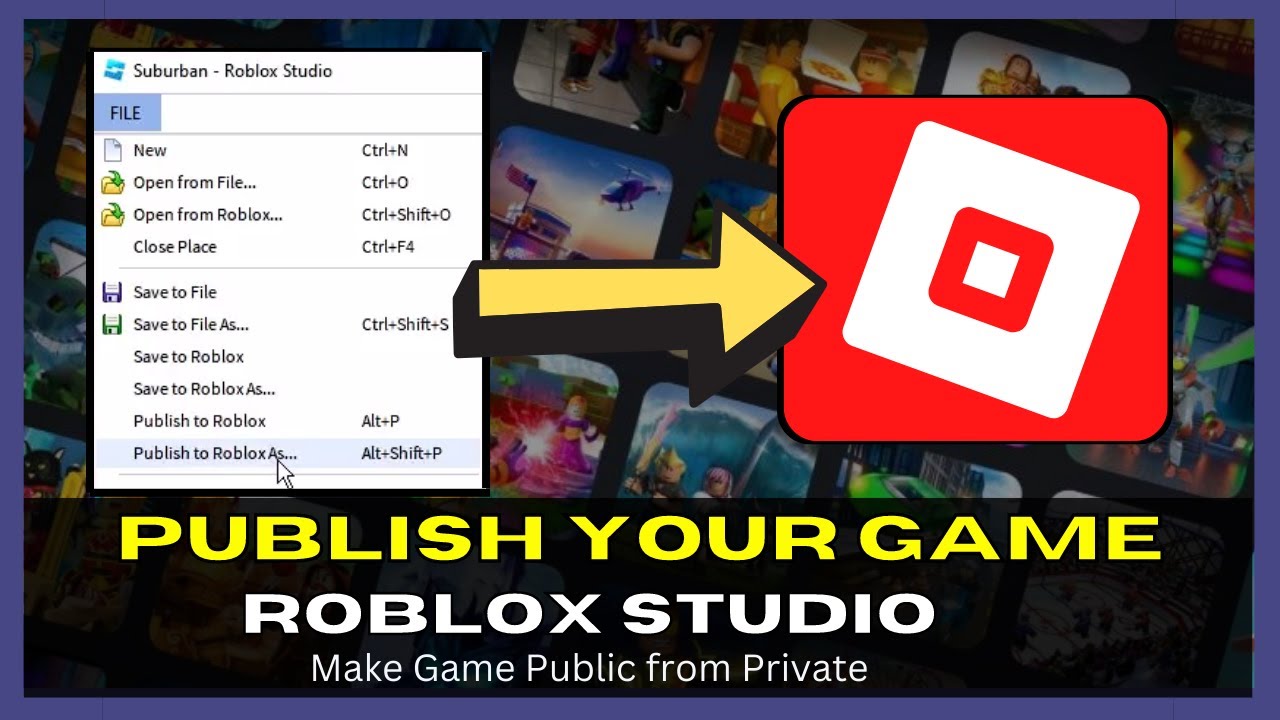
Need A Second Roblox Account How Do You Make One . Roblox Studio Detailed Beginner S Guide For Roblox Game Creator Screen Shot 2024 10 01 At 2.46.12 PM . How Do You Make A Roblox Game Roblox Studio Explained TASEAL Roblox Studio Game Screen Display . How To Make A Game On Roblox In 2026 The Complete Beginner S Guide Image. Ready To Share How To Publish Your Roblox Game



How Do You Make Shirts In Roblox 2026 Roblox Shirt Templates How To Create Roblox Shirts And Pants.webp. Can You Develop Roblox Games On Your Phone In 2026 Roblox 5 . How Do I Make Clothes On Roblox In 2026 . Make Your Own Roblox Game A Beginners Guide Step 8 . How Do I Make Clothes On Roblox In 2026


How To Make Money On Roblox 2026 Creator Guide How To Make Money On Roblox Developing And Monetizing Games.webp. How To Make A Game Pass In Roblox 2026 Step By Step Guide Game Pass Roblox.webp. What Are All Roblox Heads And How Do You Get Them Roblox Character Creation. How To Make Fog In Roblox Studio For 2026 A Quick Guide . Does Roblox Have Ads For Players In 2026 Make You High Detailed Roblox Ads



What Is A Roblox Script How To Create One Hq720 9 2 1144x644 . Roblox R6 Explained What Does It Really Mean . How Does The Roblox Push To Talk Button Work Effectively How To Enable Voice Chat In Roblox 2026.webp. Roblox Driving Empire Music Radio Codes 2026 Roblox Driving Empire Music Codes . Roblox Country Music ID Codes 2026 Roblox Country Music Codes