This comprehensive guide unveils everything you need to know about how to whisper in Roblox, a crucial social feature for private conversations in 2026. Whether you're coordinating with friends, sharing strategies during intense gameplay, or just having a private chat away from general server noise, mastering the whisper function elevates your Roblox experience. We dive into step-by-step instructions for PC, mobile, and console users, ensuring you can connect privately no matter your platform. Discover advanced tips for efficient whispering, troubleshooting common issues, and understanding privacy settings to keep your interactions secure. For the busy adult gamer balancing work and life, efficient communication in games like Roblox means more fun and less frustration. Learn how to quickly send private messages, manage your whisper history, and leverage this feature to enhance teamwork and personal connections within the vast Roblox metaverse. Stay ahead with the latest methods and ensure your private chats remain private and seamless, optimizing your valuable gaming time.
How do you send a private message or whisper to another player in Roblox?
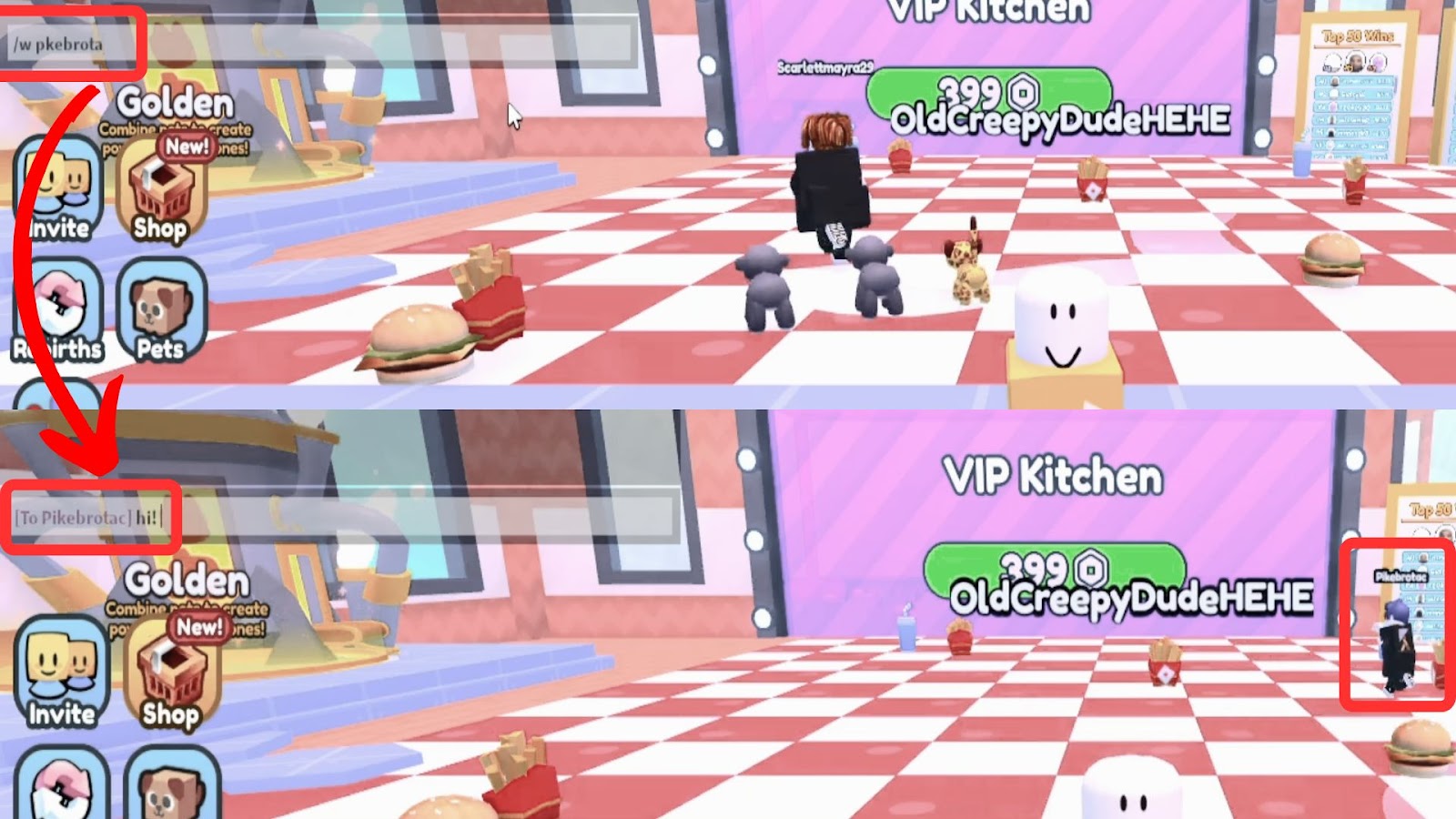
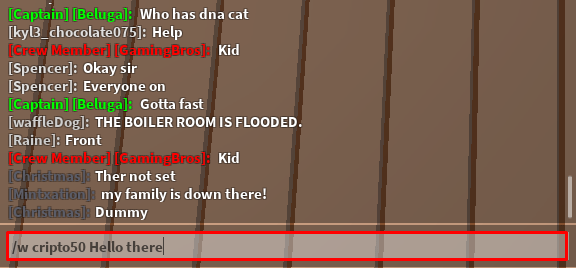
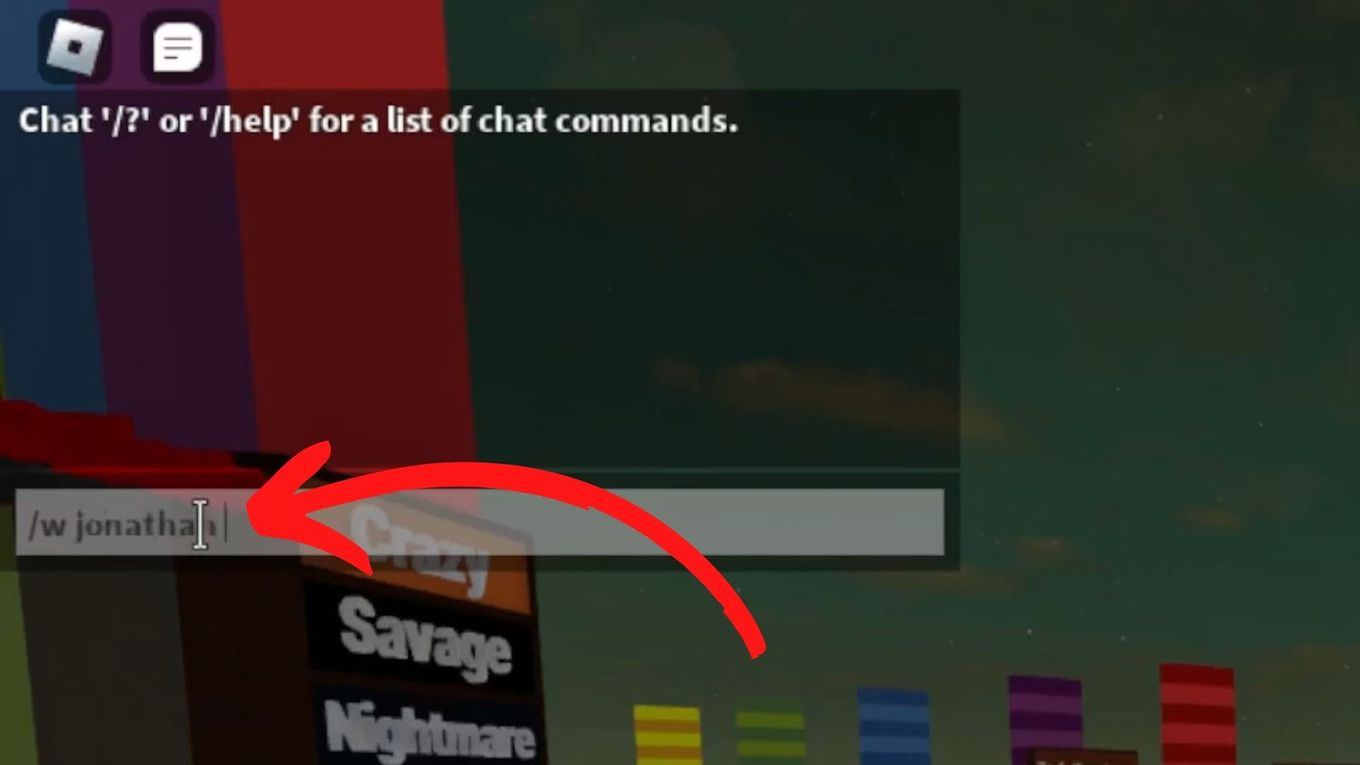
To whisper in Roblox, first open the chat window by pressing the forward slash key / on PC or tapping the chat icon on mobile. Then, type /w or /whisper followed by the player's username, a space, and then your message. For example: /w PlayerName Your message here. Press Enter to send. This initiates a private chat visible only to you and the recipient.
What is the specific chat command for whispering in Roblox?
The primary chat command for whispering in Roblox is /w or /whisper. Both are interchangeable. After typing either of these commands, you must include the recipient's exact username, followed by a space, and then your intended private message. Using the correct username is crucial for the whisper to be delivered correctly to the intended individual.
Can I whisper to someone who is not on my Roblox friends list?
Yes, you can whisper to any player in the same game server as you, even if they are not on your Roblox friends list. The process is the same: use the /w or /whisper command followed by their username and your message. However, ensure their privacy settings allow them to receive messages from non-friends or everyone in the server, as some players may restrict communication.
How do I quickly reply to a whisper I just received in Roblox?
To quickly reply to the last person who whispered you, simply open the chat and type /r followed by your message. This command automatically targets the last player who sent you a private message, saving you from typing out their username again. It's a highly efficient way to maintain a private conversation during fast-paced gameplay.
Why might my whisper not be working or sending in Roblox?
Several reasons could prevent your whisper from sending. Common issues include incorrect username spelling, the recipient not being in the same game server as you, the recipient having privacy settings that block whispers from non-friends or everyone, or a temporary chat glitch. Double-check the username and ensure both players are in the same game instance.
Are there any privacy concerns or settings related to whispering in Roblox?
Roblox provides privacy settings that allow players to control who can message them. Users can set who can chat with them to 'Everyone', 'Friends', or 'No one'. If you cannot whisper to someone, their settings might be preventing it. It's good practice to respect these settings and communicate clearly with players about their preferences.
Can I whisper on Roblox mobile or console platforms, or is it PC-exclusive?
Whispering functionality is available across all Roblox platforms, including PC, mobile (iOS and Android), and consoles like Xbox and PlayStation. The input method may vary slightly. On mobile, you typically tap the chat icon to open the keyboard and type the /w command. On consoles, you open the chat input using the designated button (e.g., D-pad left on Xbox) and type the command.
Hey there, fellow gamers! Ever find yourself in the middle of an intense Roblox experience, needing to quickly tell a friend something without broadcasting it to the entire server? Maybe you're coordinating a strategy in a competitive game, sharing a quick tip, or just having a private laugh with a buddy while balancing your busy life outside the game. As US gamers, many of us, averaging around 36 years old and making up roughly 60% of the gaming population, are adept at juggling jobs, family, and our passion for gaming. We value efficiency and fun, and sometimes, public chat just doesn't cut it. This is where mastering 'how to whisper roblox' becomes an invaluable skill.
In 2026, with Roblox continuing its massive social and creative dominance and mobile gaming accounting for nearly 60% of playtime, efficient communication is more critical than ever. Around 87% of US gamers play regularly, often dedicating 10+ hours a week, with social interaction being a core component. Knowing how to privately chat means less disruption, more focused gameplay, and truly personal connections. This comprehensive guide will walk you through everything you need to know about whispering in Roblox, from the basic commands to advanced tips, ensuring your in-game communication is always on point and private. Let's dive in and unlock the full potential of your Roblox social experience!
How to Whisper in Roblox on PC A Step-by-Step Guide
Whispering on PC is incredibly straightforward once you know the command. This method is ideal for quick, private messages during any Roblox game. First, ensure you are in a game where chat is enabled. Most experiences support it, but a few niche ones might restrict it. This is how you send a private message.
Here are the steps:
- Open Chat: Press the forward slash (/) key on your keyboard. This will open the chat window at the bottom of your screen.
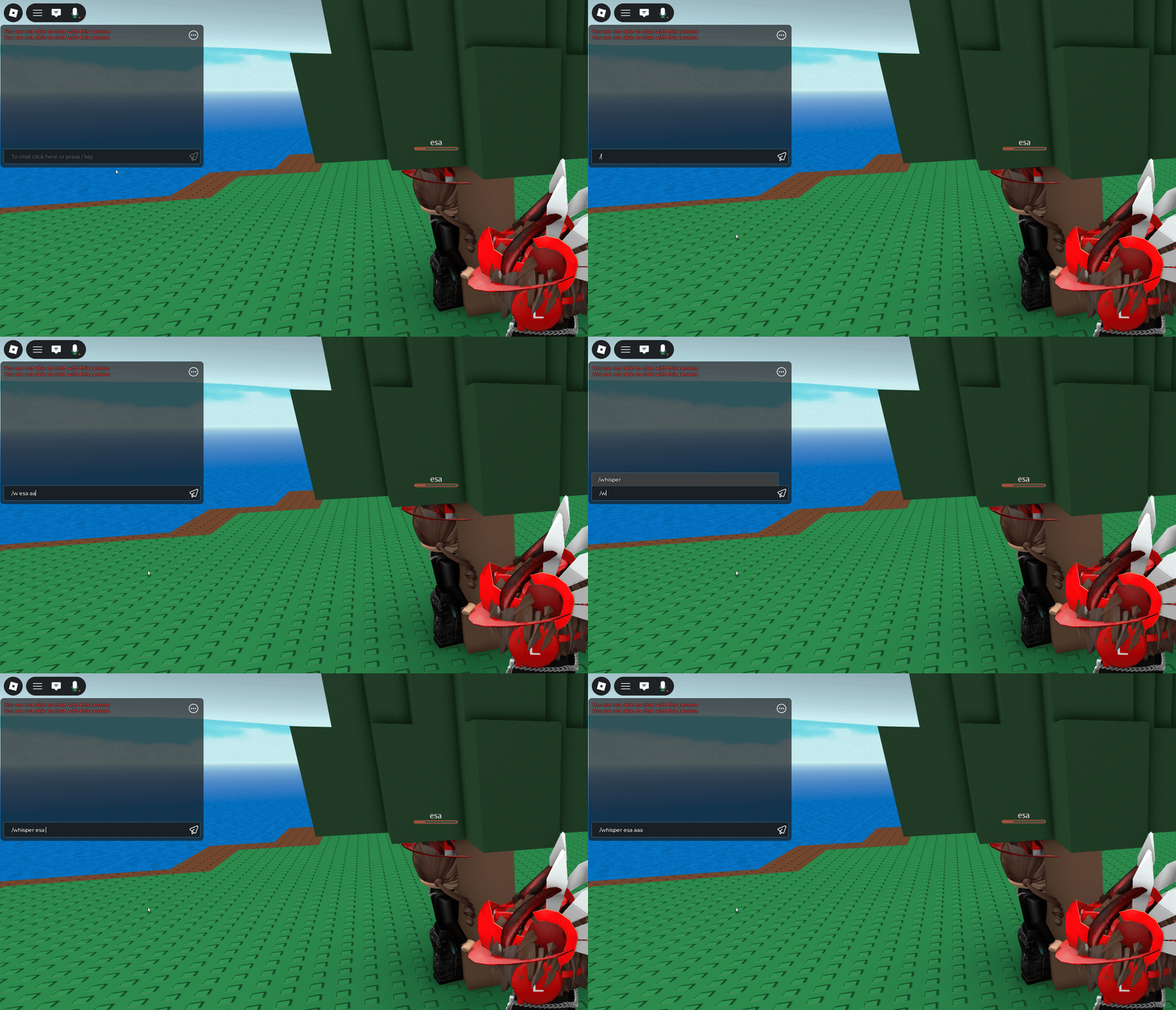
- Type the Whisper Command: In the chat input box, type either /w or /whisper. Both commands achieve the same result.
- Add Recipient's Username: After the command, type a space, then the exact Roblox username of the person you want to whisper to. Make sure the spelling is precise; capitalization usually doesn't matter for usernames but exact characters do.
- Compose Your Message: After the username, type another space, and then compose your private message.
- Send Message: Press Enter. Your message will now be sent privately to that player, appearing only in their chat and yours.
For example, if your friend's username is 'GamerPro123' and you want to say 'Meet me at the base!', you would type: /w GamerPro123 Meet me at the base! and then press Enter.
How to Whisper in Roblox on Mobile Devices iOS and Android
Whispering on mobile devices, whether you're on an iOS iPhone/iPad or an Android phone/tablet, follows a similar logic to PC but with slight differences in input. Mobile gaming is a significant part of the US gaming landscape, so mastering this is essential for on-the-go communication.
Follow these steps:
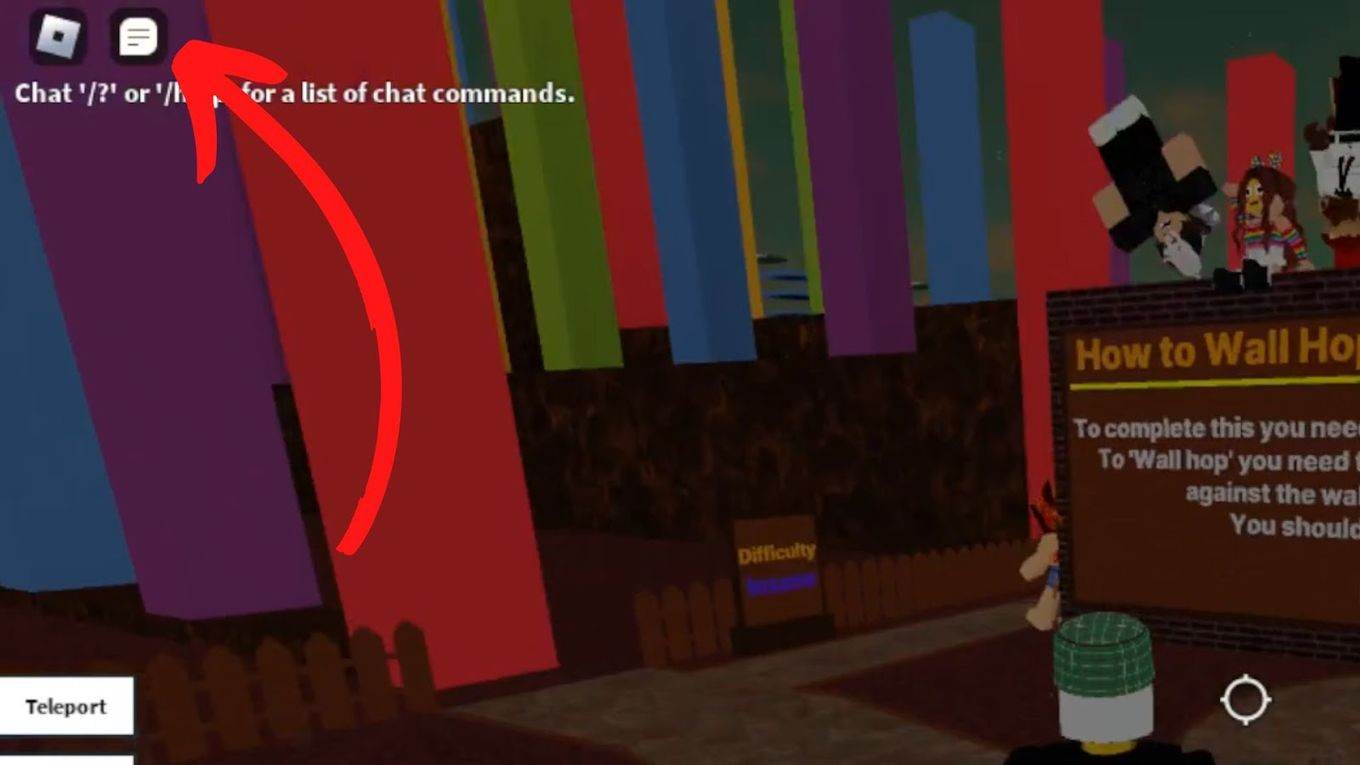
- Tap Chat Icon: Look for the chat bubble icon, usually located in the top-left or top-right corner of your screen. Tap it to open the chat window.
- Access Keyboard: A text input box will appear. Tap on it to bring up your device's virtual keyboard.
- Enter Whisper Command: Type /w or /whisper, followed by a space.
- Input Username and Message: Carefully type the recipient's Roblox username, then another space, and finally your private message. Autocorrect can sometimes be an enemy here, so double-check the username.
- Send: Tap the 'Send' button (often an arrow icon) on your keyboard or in the chat interface.
The message will now appear only to you and the intended recipient, allowing for discrete conversations even when you're playing on the go.
Can You Whisper on Roblox Consoles Xbox PlayStation
Yes, absolutely! Roblox has embraced cross-platform play, and this extends to its social features like whispering. Whether you're playing on an Xbox or PlayStation console, you can still engage in private conversations with other players in the same server. The process is very similar to PC and mobile, adapting to console controls.
Here’s how to do it:
- Open Chat: Use the designated button on your controller to open the chat interface. On Xbox, this is often the left button on the D-pad. On PlayStation, it might be the touchpad or a specific directional button, depending on the game.
- Activate Text Input: Once the chat window is open, you'll need to activate the on-screen keyboard or text input box.
- Type Whisper Command: Input /w or /whisper using the on-screen keyboard, followed by a space.
- Enter Username and Message: Type the recipient's exact Roblox username, then a space, and your private message. This can be a bit slower with a controller, so take your time.
- Send: Confirm and send your message using the appropriate button on the on-screen keyboard or chat interface.
Console players, like their PC and mobile counterparts, can benefit greatly from private communication for strategic planning or social interaction, proving that even with a controller, you can keep your chats private and personal.
Why Would I Need to Whisper in Roblox Understanding the Benefits
Whispering in Roblox offers several key advantages, especially for adult gamers who value focused and efficient communication. It's not just about secrecy; it's about clarity, strategy, and personal interaction.
- Strategic Planning: In competitive or cooperative games, whispering allows you to devise tactics with teammates without alerting opponents or cluttering the main team chat. This is crucial for games requiring quick, decisive action.
- Private Conversations: Sometimes you just want to chat with a friend about something personal, or perhaps about an inside joke that the whole server doesn't need to hear. Whispering provides that personal space.
- Avoiding Spam: Public chats can sometimes be filled with general chatter, advertisements, or even spam. Whispering cuts through the noise, ensuring your message gets directly to the intended person.
- Faster Coordination: For quick meetups or sharing specific locations, a private whisper can be more efficient than trying to get attention in a busy public chat.
- Conflict Resolution: If you have a minor disagreement with a player, a private whisper can be a more civil and effective way to address it than a public confrontation.
Ultimately, whispering enhances your overall Roblox experience by giving you more control over your communication, fostering better teamwork, and strengthening personal connections.
Are There Any Specific Commands for Whispering in Roblox
Yes, Roblox has a concise set of commands specifically for private messaging, designed for efficiency. Mastering these commands is key to becoming a 'whisper wizard' and optimizing your valuable gaming time.
- The Primary Whisper Command: As covered, /w and /whisper are interchangeable. They initiate a private conversation with a specified user. Format:
/w [Username] [Your Message]. - The Quick Reply Command: This is a game-changer for ongoing private conversations. If someone has just whispered to you, you can quickly reply to them without retyping their username. The command is /r. Format:
/r [Your Reply Message]. This sends your message directly back to the last person who whispered to you. It's incredibly useful in fast-paced scenarios where every second counts.
These two commands form the backbone of private chat in Roblox. Practice using them, especially the /r command, to streamline your social interactions and keep your focus on the gameplay.
How Do I Know If My Whisper Was Sent Successfully
Ensuring your whisper was delivered is important, especially when coordinating critical in-game actions. Roblox provides visual cues to confirm successful delivery and to distinguish private messages from public chat.
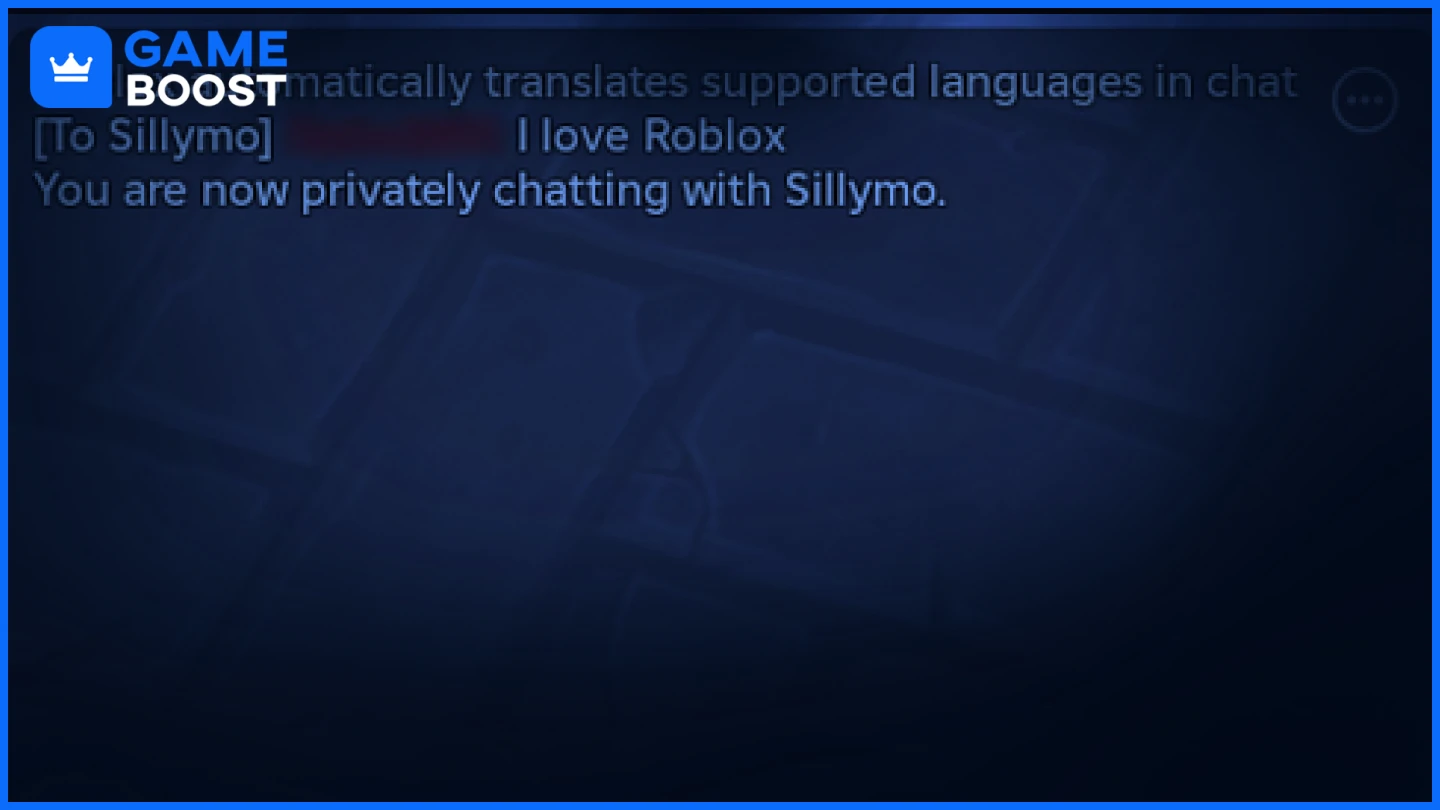
- Visual Confirmation in Your Chat Log: When you send a whisper, it will appear in your own chat log with a specific prefix. Typically, it will be labeled with ''to [Recipient Username]:' or will be highlighted in a distinct color, differentiating it from public messages.
- Recipient's Perspective: For the person you whispered to, the message will appear in their chat log, usually prefixed with ''from [Your Username]:' and also often highlighted or in a specific text color, clearly indicating it's a private message.
- No Error Message: If your whisper fails to send due to an incorrect username, the recipient not being in the game, or privacy settings, Roblox will usually provide an error message in your chat log, informing you of the issue. If you don't see an error, it's highly likely your message went through.
By observing these visual cues, you can confidently know if your private messages are reaching their intended targets, ensuring smooth and effective communication.
What Are the Privacy Settings for Roblox Whispers
Roblox places a strong emphasis on user safety and privacy, offering robust settings that give players control over who can communicate with them, including whispers. This is particularly important for adult gamers who value their online space and for parents managing younger players' accounts.
You can adjust your privacy settings by navigating to your Roblox account settings on the website or within the app:
- Go to Settings: Log in to your Roblox account and go to the 'Settings' section (usually a gear icon).
- Select Privacy: Find and click on the 'Privacy' tab.
- Configure Communication Settings: Under the 'Who can chat with me?' section, you will find options to control incoming messages:
- Everyone: Allows all players in the same game server to whisper to you.
- Friends: Only players on your Roblox friends list can whisper to you.
- No One: Completely disables all incoming private messages from other players.
These settings dictate whether other players can send you whispers. If you're having trouble whispering to someone, it's always worth considering that their privacy settings might be set to 'Friends' or 'No One.' Always respect a player's privacy choices.
How to Reply to a Whisper Quickly in Roblox
For gamers balancing life and play, efficiency is key. The ability to quickly respond to a whisper without breaking your game flow is invaluable. Roblox provides a dedicated command for this, making rapid-fire private conversations seamless.
The quick reply command is /r.
Here's how it works:
- Receive a Whisper: You'll see a private message pop up in your chat from another player.
- Open Chat: Press the (/) key on PC, or tap the chat icon on mobile/console.
- Use the Reply Command: Type /r followed by a space.
- Compose Your Reply: Type your message after the /r command.
- Send: Press Enter (PC) or the send button (mobile/console).
Example: If 'GameBuddy' whispers 'Need help at the tower?', you can quickly type /r On my way! and press Enter. The system automatically sends your message back to 'GameBuddy'. This command is extremely useful for maintaining an ongoing private dialogue without the hassle of retyping usernames, ensuring your focus remains on the action.
Troubleshooting Common Roblox Whisper Issues
Even with the best intentions, you might encounter issues when trying to whisper in Roblox. Don't worry, most problems have simple solutions. For US gamers who spend valuable time in the metaverse, quickly resolving these means more fun and less frustration.
- Incorrect Username: This is the most common culprit. Double-check the spelling of the recipient's Roblox username. Even a single character difference will prevent the message from sending. Roblox usernames are case-insensitive for sending messages, but exact characters are critical.
- Recipient Not in Same Server: You can only whisper to players who are currently in the same game server as you. If they've left or joined a different experience, your whisper won't reach them.
- Recipient's Privacy Settings: As discussed, players can restrict who can message them. If a player has their settings to 'Friends' or 'No one,' your whisper (if you're not a friend) will not go through.
- Chat Filter: Roblox has a robust chat filter. If your message contains words or phrases deemed inappropriate, it might be censored or blocked entirely. Try rephrasing your message.
- Temporary Glitch: Sometimes, Roblox chat can experience minor temporary glitches. Try closing and reopening the chat, or even rejoining the game. If the problem persists, a full Roblox client restart might be necessary.
- Internet Connection: A unstable or slow internet connection can sometimes cause delays or failures in sending chat messages, including whispers. Ensure your connection is stable.
By systematically checking these points, you can quickly diagnose and fix most whisper-related issues, getting you back to private conversations in no time.
How Can Whispering Enhance My Roblox Gaming Experience
Whispering is more than just a chat feature; it's a tool that significantly enriches your Roblox gaming experience, especially for players who enjoy social interaction and strategic depth. In 2026, where social gaming thrives, efficient private communication is paramount.
Here's how whispering levels up your game:
- Improved Teamwork and Strategy: In games like 'Jailbreak' or 'Adopt Me!' where coordination is key, whispering allows for covert planning and execution. Imagine strategizing with your team in a game like 'Arsenal' without the enemy knowing your next move.
- Deeper Friend Connections: Private chats foster stronger bonds. You can share personal updates, make plans, or offer support to friends without the entire server tuning in. This aligns with the trend of gaming being a primary social hub for many, especially for balancing life and work.
- Reduced Distractions: By moving private conversations out of public view, the main chat remains cleaner and more focused on general game-related announcements or interaction, making the overall experience less cluttered.
- Personalized Gameplay: Whether you're a builder collaborating on a project or an adventurer sharing secrets, whispers enable personalized, one-on-one interactions that can enhance immersion and shared experiences.
- Quick Problem Solving: If a friend is stuck or needs a quick tip, a whisper is often the fastest and most direct way to offer assistance without disrupting public game flow.
Embracing the whisper feature transforms Roblox from a mere game platform into a dynamic, personalized social space, allowing you to tailor your interactions to your specific needs and playstyle.
FAQ Section
Here are some frequently asked questions about whispering in Roblox, summarized for quick answers.
Can I whisper to someone not on my friends list in Roblox?
Yes, you can whisper to any player currently in the same game server as you, even if they are not on your Roblox friends list, provided their privacy settings allow messages from 'Everyone'.
Is there a whisper history or log in Roblox?
Roblox chat logs, including whispers, are generally visible within your active game session. However, there isn't a persistent, easily accessible long-term whisper history log outside of the current game's chat window.
What if I accidentally whisper to the wrong person in Roblox?
Unfortunately, once a whisper is sent, it cannot be recalled or deleted. Always double-check the username before pressing Enter to ensure your private message goes to the intended recipient.
Are Roblox whispers moderated for content?
Yes, all Roblox chat, including private whispers, is subject to Roblox's moderation and filtering systems. Inappropriate content will be filtered or could lead to moderation action, ensuring a safe environment.
Can I turn off whispers completely if I don't want to receive them?
Yes, by adjusting your privacy settings under 'Who can chat with me?' to 'No One', you can prevent all players from sending you private messages, including whispers.
How does whispering impact game performance on low-end devices?
Whispering itself has a negligible impact on game performance. Chat functions are typically lightweight. Performance issues are more often related to game complexity or device hardware rather than chat activity.
There you have it, fellow Roblox adventurers! Mastering how to whisper in Roblox is a simple yet powerful way to elevate your gaming experience. Whether you're strategizing with your team, sharing a private joke with a friend, or just need to communicate discreetly, the whisper feature offers the perfect solution. It's all about making your valuable gaming time more efficient, more fun, and more personalized. For those of us balancing busy lives, quick and effective communication means more moments of relaxation and skill-building in the metaverse.
By understanding the commands, privacy settings, and troubleshooting common issues, you're now equipped to handle private chats like a pro across all platforms. So go forth, chat privately, coordinate effectively, and enhance those social bonds that make Roblox so special. What's your biggest gaming communication challenge? Comment below! Share your best whisper tips and tricks with our community. Happy gaming!
Learn to whisper on all Roblox platforms, understand privacy settings for private chats, master quick whisper commands, troubleshoot common whispering issues, and optimize in-game communication for strategic play and social interaction.
35


How To Whisper In Roblox Easy Fix YouTube . How To Whisper In Roblox 2026 YouTube . How To Whisper In Roblox YouTube . How To Whisper Chat On Roblox YouTube . How To Whisper In Roblox A Complete Guide D5673012 72ab 4772 98b3 Webp.webp



How To Whisper In Roblox YouTube . Roblox How To Whisper Send Private Messages Gamer Tweak How To Whisper In Roblox 768x432 . How To Whisper In Roblox 2024 Step By Step YouTube . Roblox Whispering Your Secret Chat Guide Whispering Someone Roblox . How To Whisper Chat On Roblox 2025 YouTube

How To Whisper In Roblox Private Message In Roblox 2024 Guide Send . How To Whisper In Roblox A Complete Guide 3d75761a 4dbc 4686 9c7b. How To Whisper On Roblox Send Privates Solved Alvaro Trigo S Blog Game Chat Box Whisper Roblox . How To Whisper Chat On Roblox 2024 YouTube . Secret Messages How To Whisper In Roblox What Does Whisper Mean Roblox



How To Whisper With Someone In Roblox YouTube Oar2 . Secret Messages How To Whisper In Roblox Image Aba92bbb12 . Secret Messages How To Whisper In Roblox Whisper Roblox Share . Secret Messages How To Whisper In Roblox . Mobile Users Cannot Exit Whisper Mobile Bugs Developer Forum Roblox


Secret Messages How To Whisper In Roblox Type Command Whisper Roblox . How To Detect Team And Whisper Chats On The Client Scripting Support . How To Whisper In Roblox Full Guide Image. Whisper W Broken In All Games Using Default Roblox Chat Engine . How To Message On Roblox 2026 A Quick Guide




How To Whisper In Roblox Quick And Easy YouTube . Definitive Guide To Roblox 2026 TM 07169 Definitive Guide To Roblox 2026 . Secret Messages How To Whisper In Roblox How To Whisper In Roblox 2024. How To Message On Roblox 2026 A Quick Guide SL1500 . How To Message On Roblox 2026 A Quick Guide




A60 Roblox What Is This Trending Script You Hear About NoFilter. How To Whisper In Roblox 2025 Quick Easy YouTube . How To Whisper People In ROBLOX War Tycoon YouTube . How To GET VOICE CHAT On Roblox 2026 YouTube . How To Whisper In Roblox A Complete Guide Ae84e709 Ef1d 49c7 Aa8b